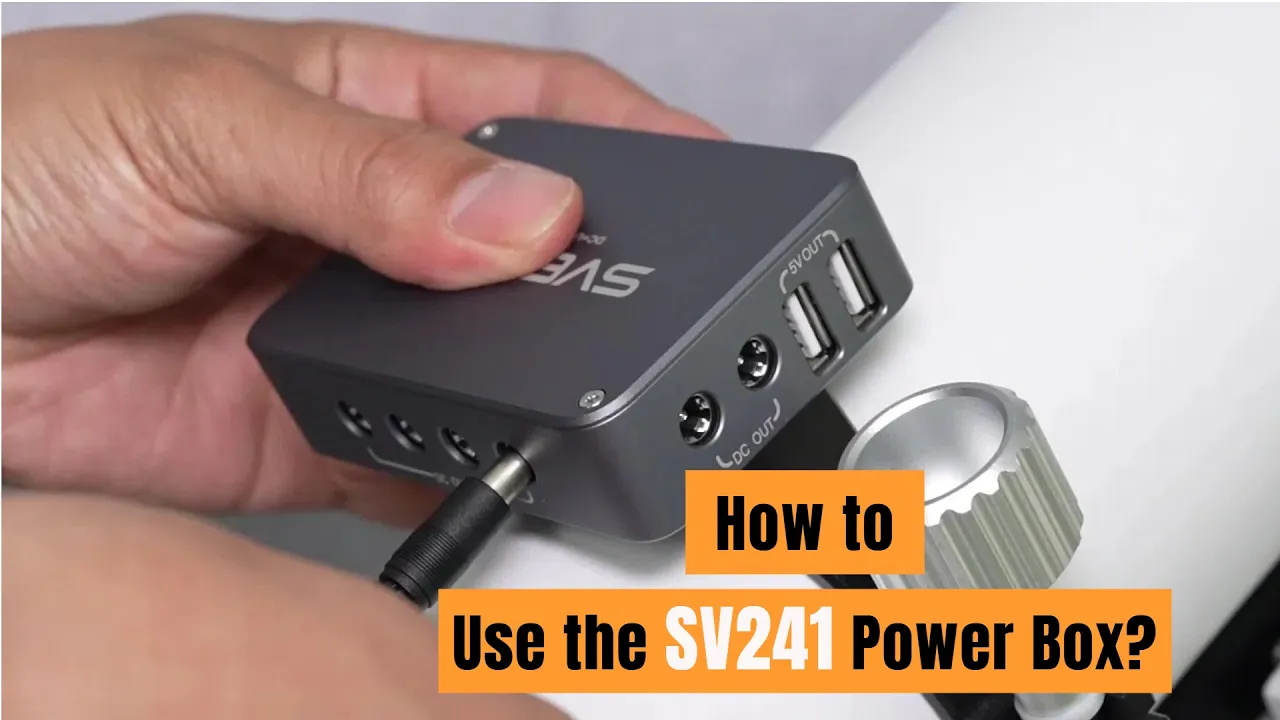
Astro Power Controller SV241 Pro | Svbony
22 | ReviewsOfficial Store Exclusive – Buy now to earn points for a limited time.+16 Points
Save $20Spend $300 get $20 off
Save $40Spend $500 get $40 off
Save $50Spend $800 get $50 off
Save $65Spend $1200 get $65 off
Save $90Spend $1700 get $90 off
Key Features
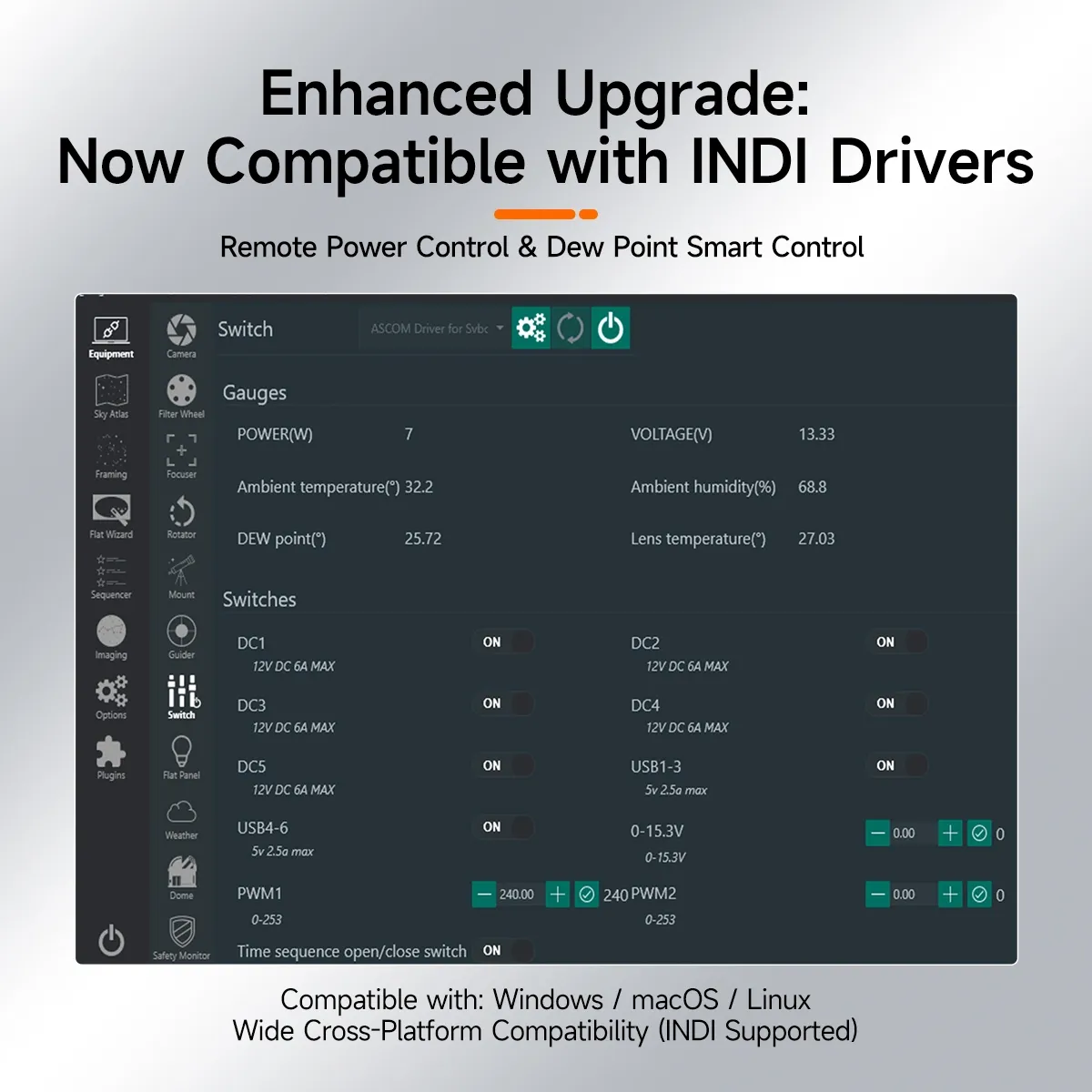
The SV241 Pro supports ASCOM drivers and integrates seamlessly with NINA, enabling smooth operation and control for advanced astrophotography setups.
Equipped with 7 individual 12V DC outputs, the SV241 Pro allows independent control of power to devices such as cameras, mounts, and focus controllers.
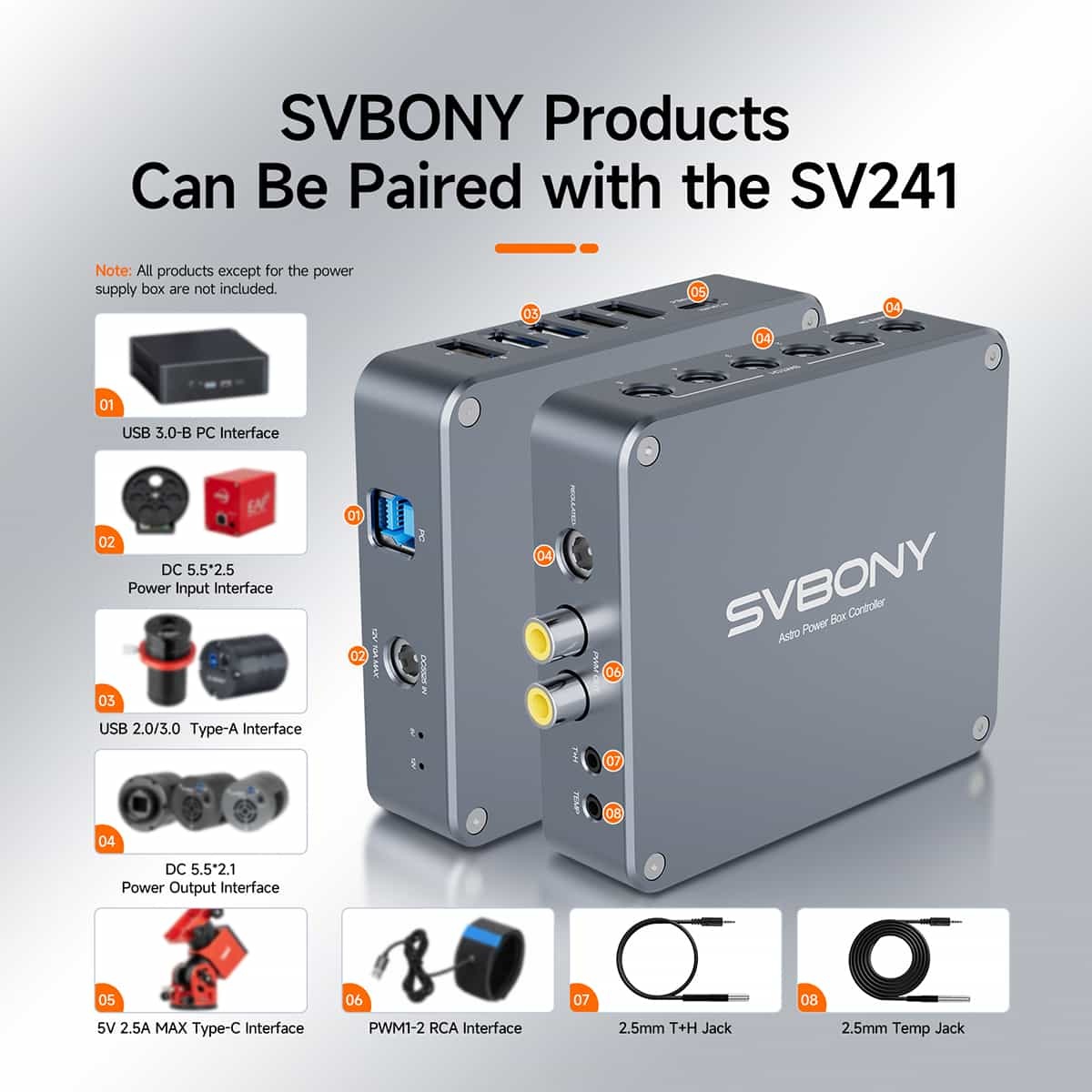
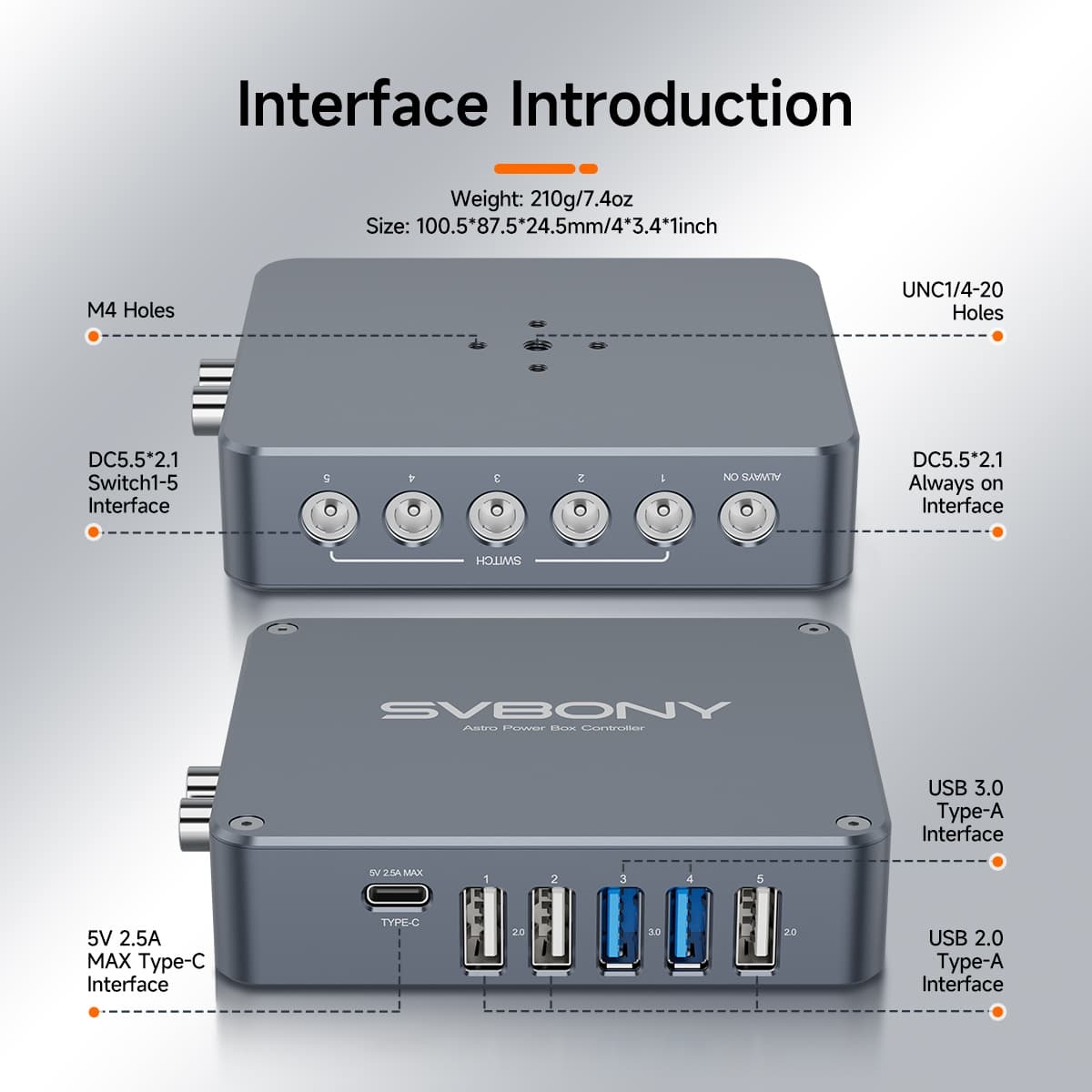
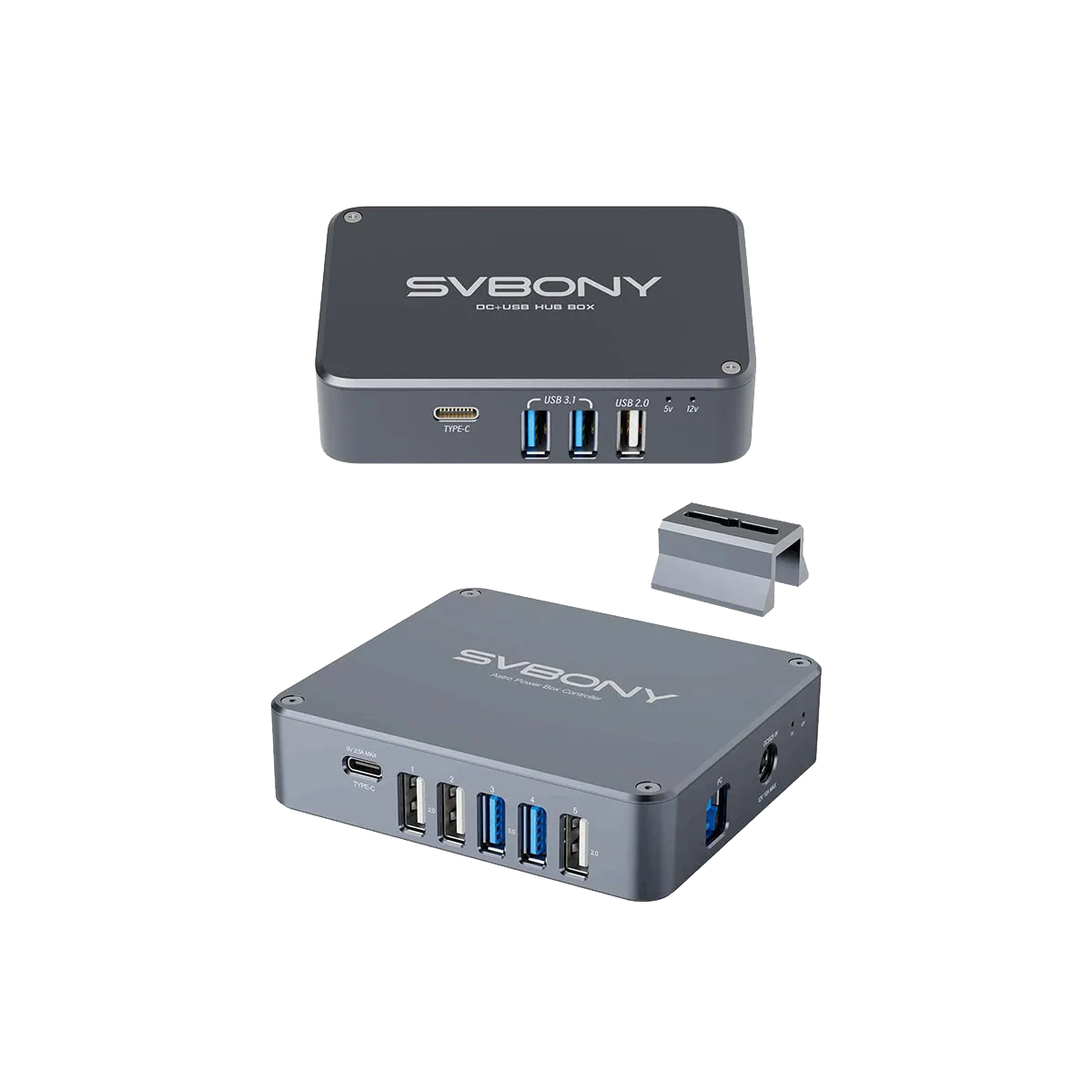
Featuring USB ports for connecting guide and planetary cameras, DC ports for cooled cameras and motorized accessories, and RCA for dew heaters, the SV241 Pro offers flexible connections for various devices.
The SV241 Pro provides real-time temperature and humidity monitoring, allowing for automatic temperature control to prevent dew formation and protect your gear.
With intelligent heating control, the SV241 Pro automatically adjusts the heating of the dew belt, stopping heating when the temperature is 5°C above the dew point and resuming when it drops.
Note: The recommended PWM value is around 80. When the temperature of the heating belt is 5 degrees higher than the dew point temperature, it will stop heating. When the temperature drops, it will automatically heat up.
🔥 {ViewpageViews} PEOPLE ARE LOOKING FOR THIS PRODUCT
Secure Payments | SSL Encrypted
Fast, Free Shipping
30-Day Money-Back Guarantee
Hassle-Free Warranty | No Hidden Fees
Lifetime Technical & Customer Support
Payment Methods
Payment Methods

SV241 Pro Astro Power Controller
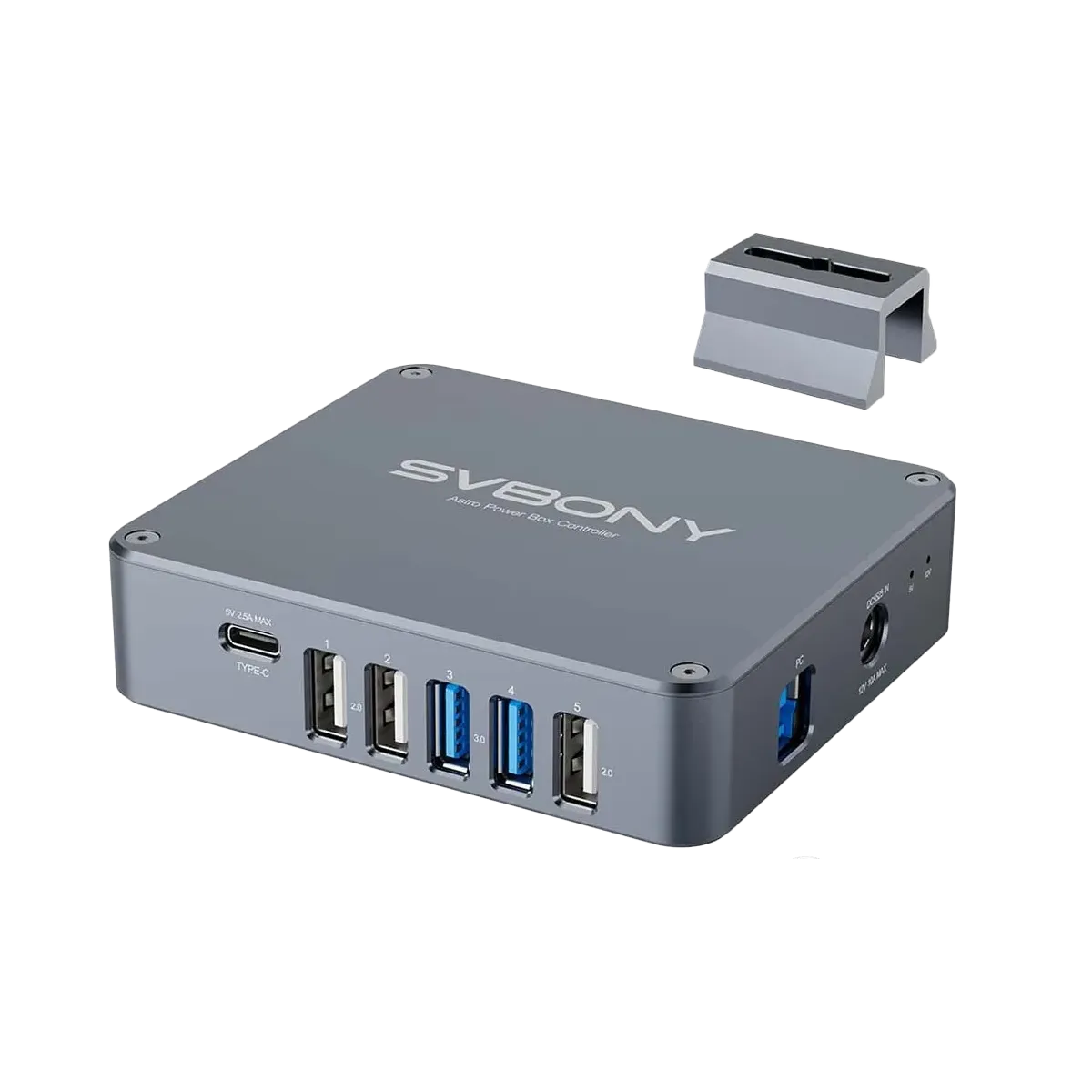
If you're tired of the complexities of multiple power packs and tangled cables, the SV241 Pro power controller is the solution you've been looking for. Our philosophy was to create a compact enclosure that delivers ample current and USB data while maintaining your cables organized!
Deliver power to your mount, cameras, filter wheel, and all your essential astronomy equipment, thanks to its versatile multiport design. With this astro power controller, you can fully control your astronomy eqipments.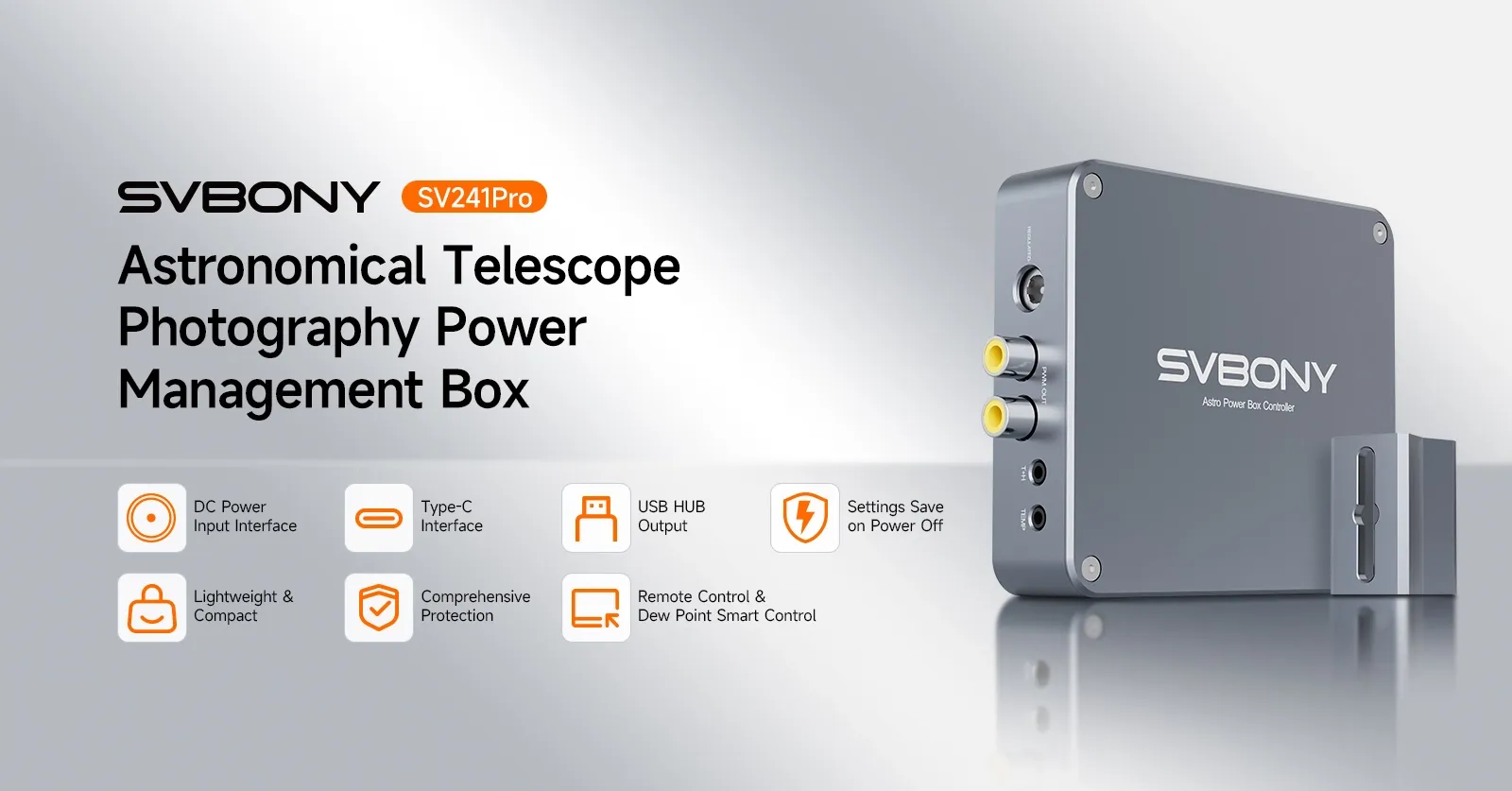
This power box supports ASCOM drivers and seamlessly integrates with the astrophotography software NINA. Once connected, you can remotely monitor and centrally control all output ports and sensor data from the power box directly within the NINA software interface. 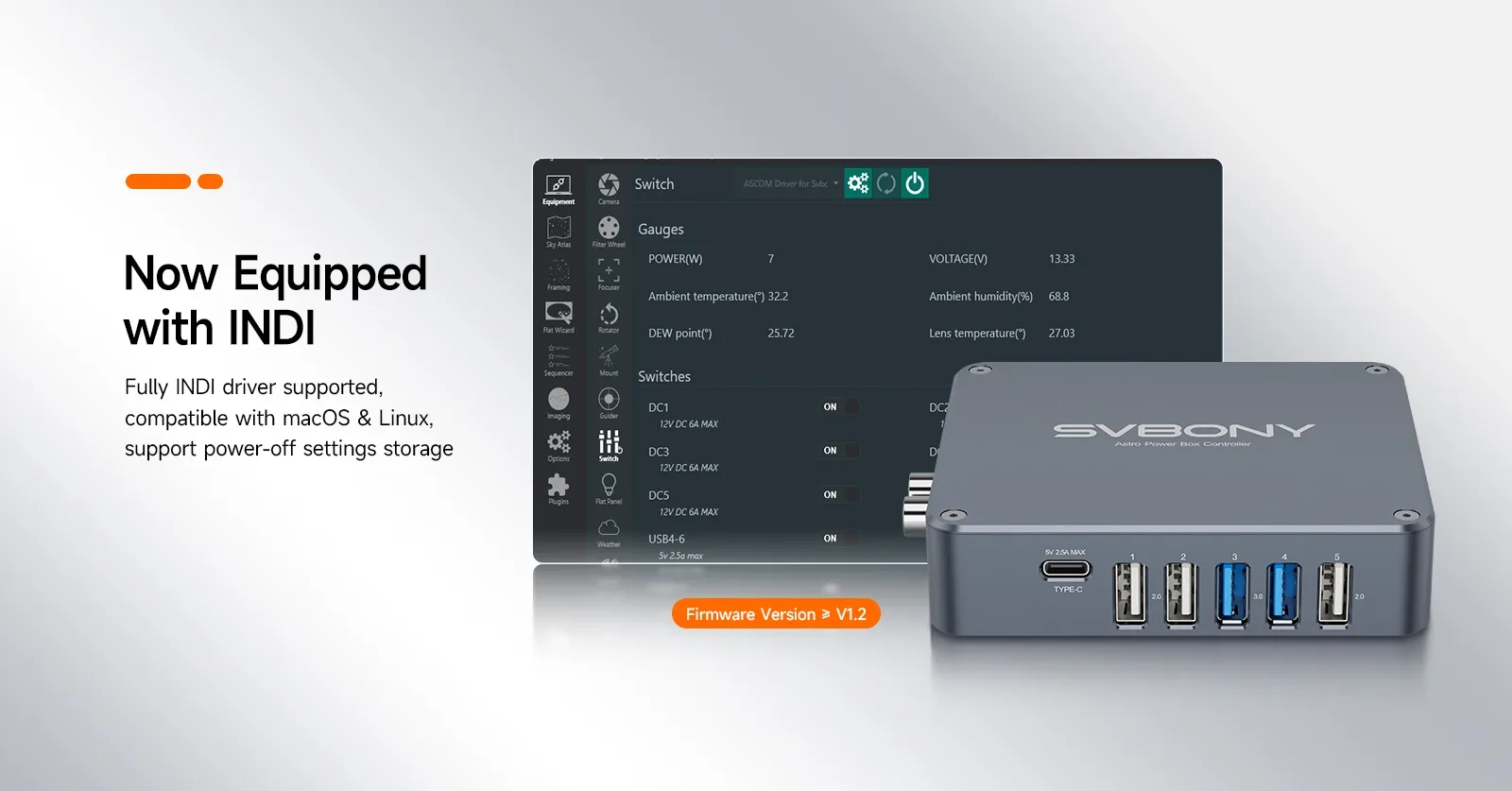
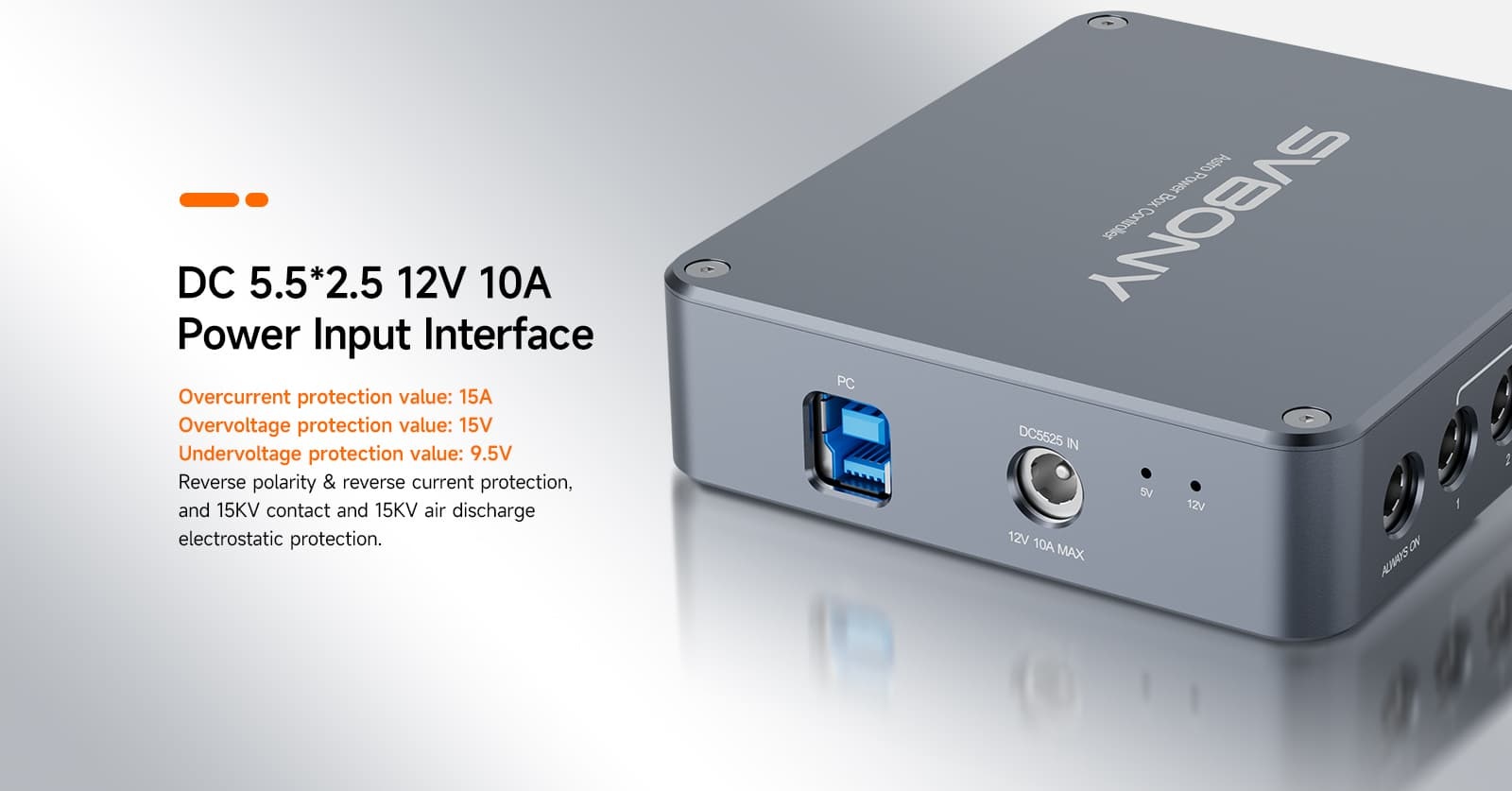
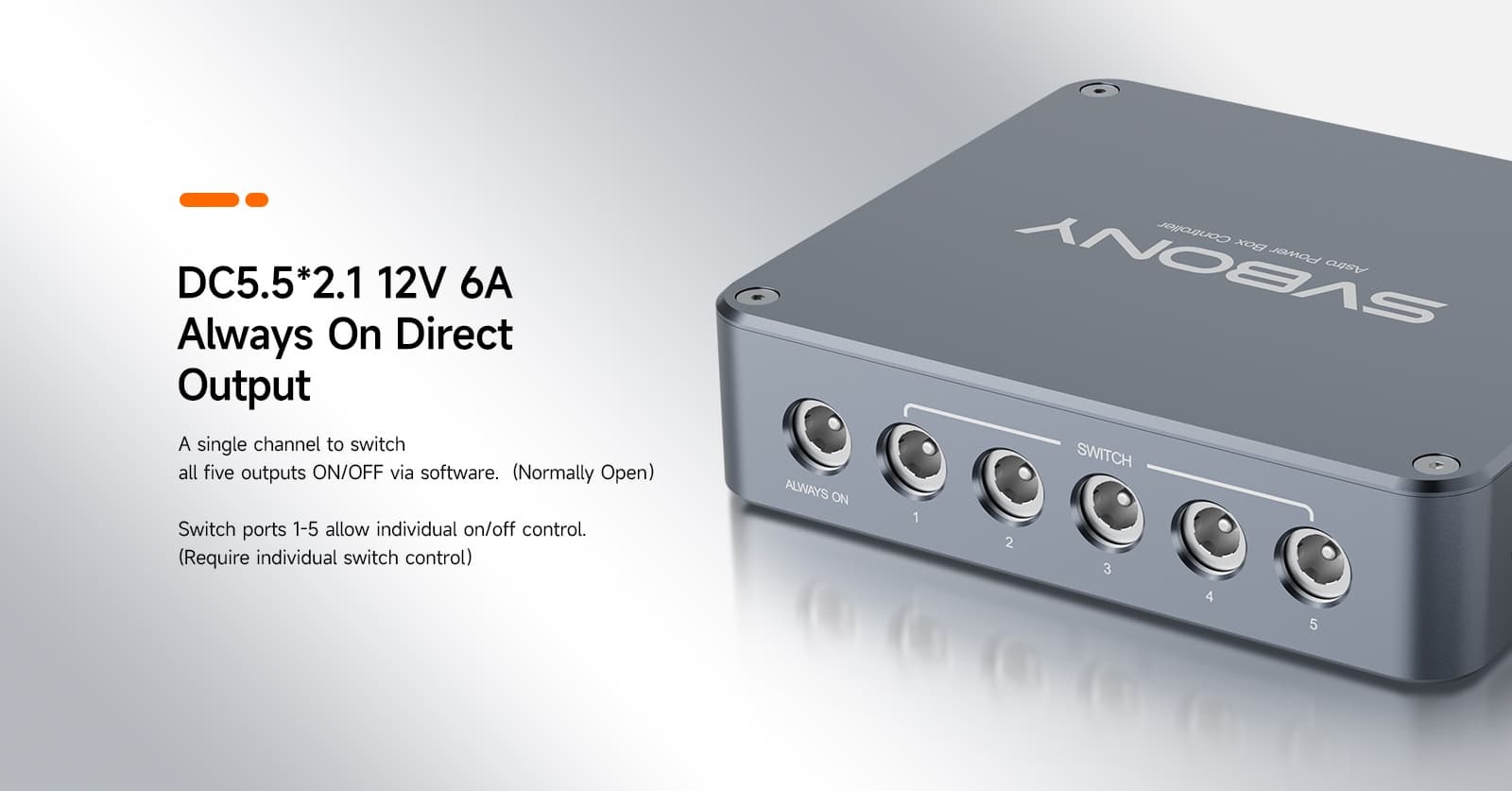
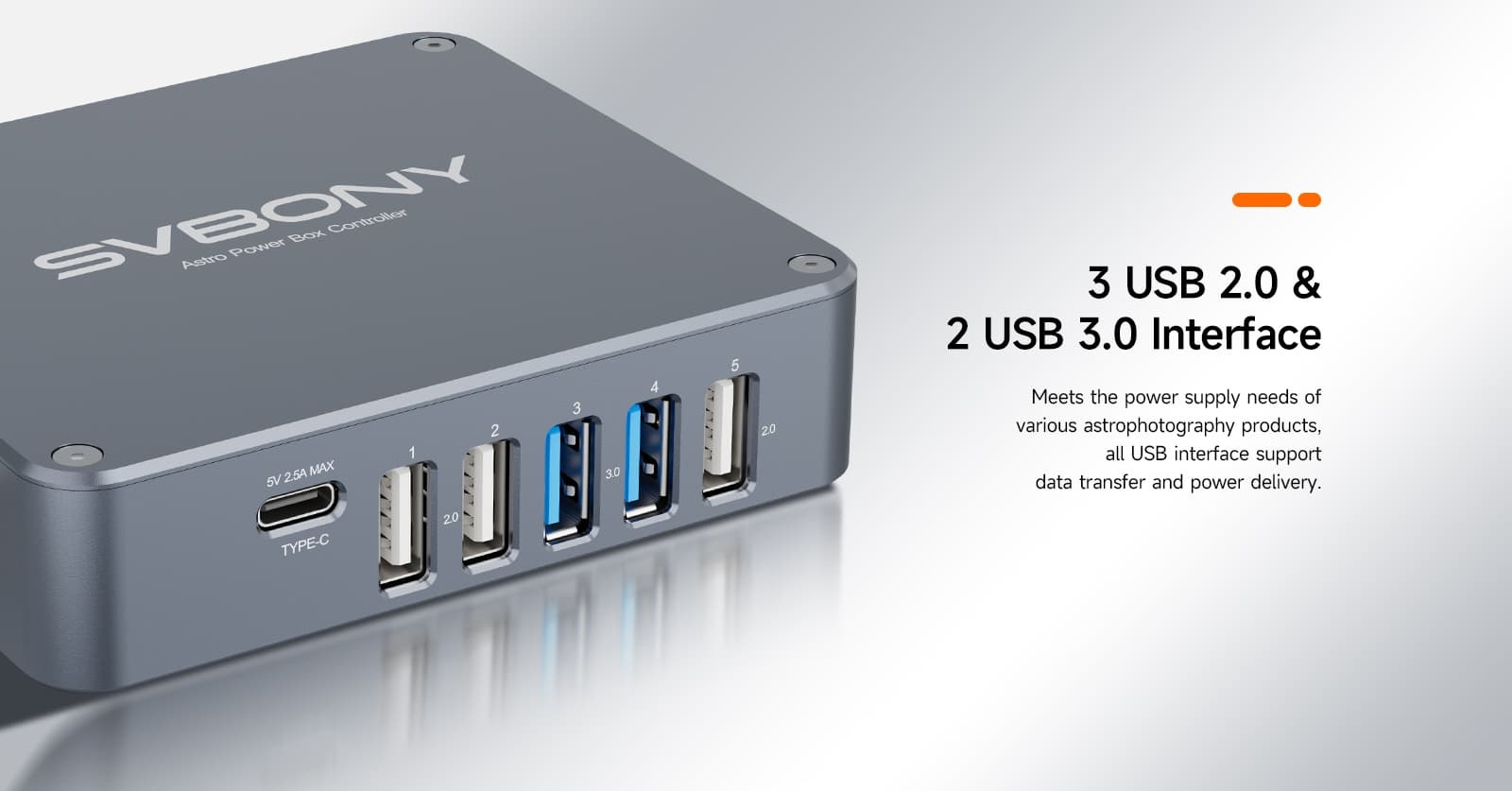
Each USB port outputs 5V 2.5A with 2.75A overcurrent protection; the 5V line has reverse current and short-circuit protection, independent MLCC filtering, and 15KV electrostatic discharge protection. 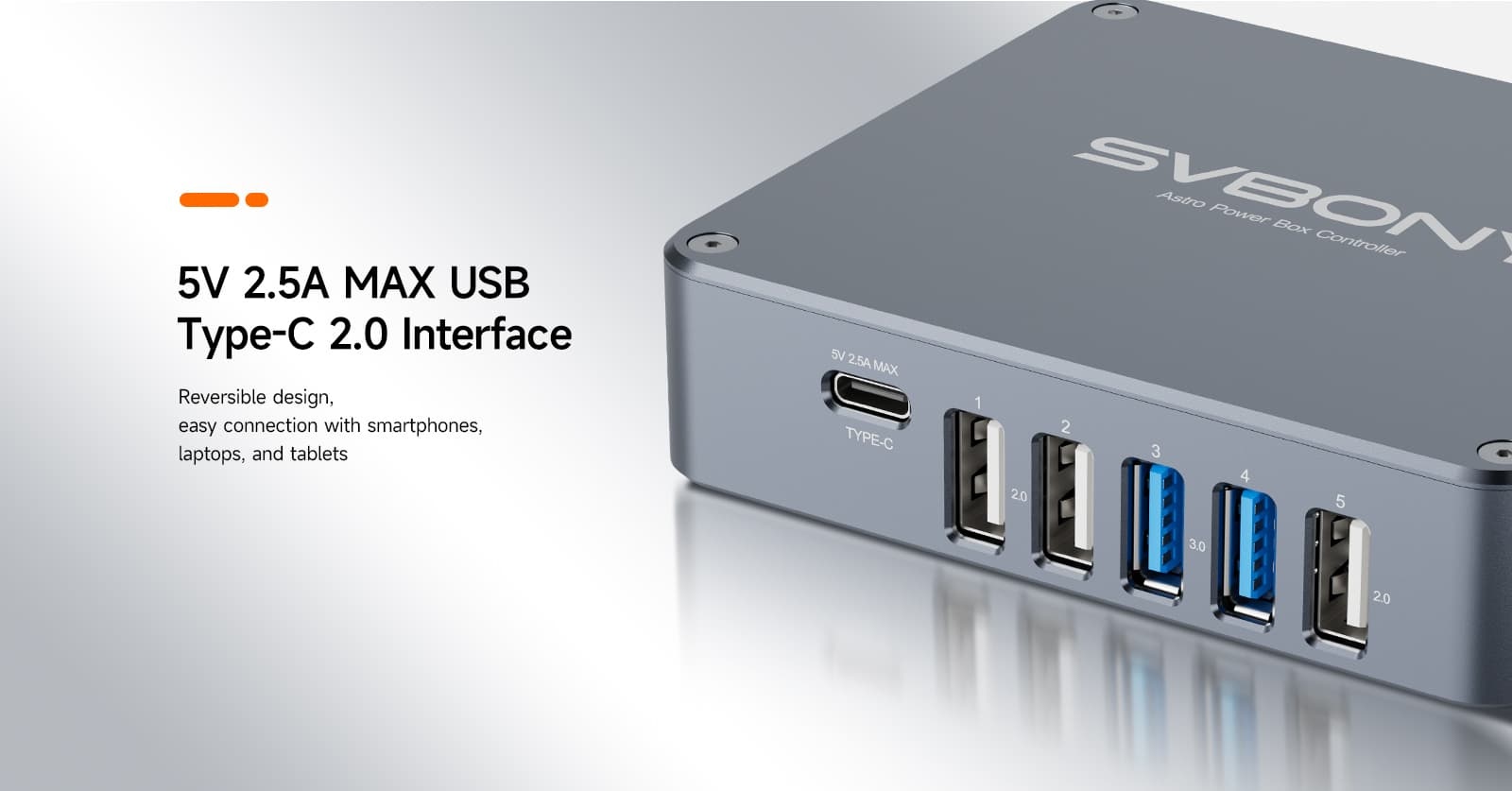
T+H & Temp Interfaces
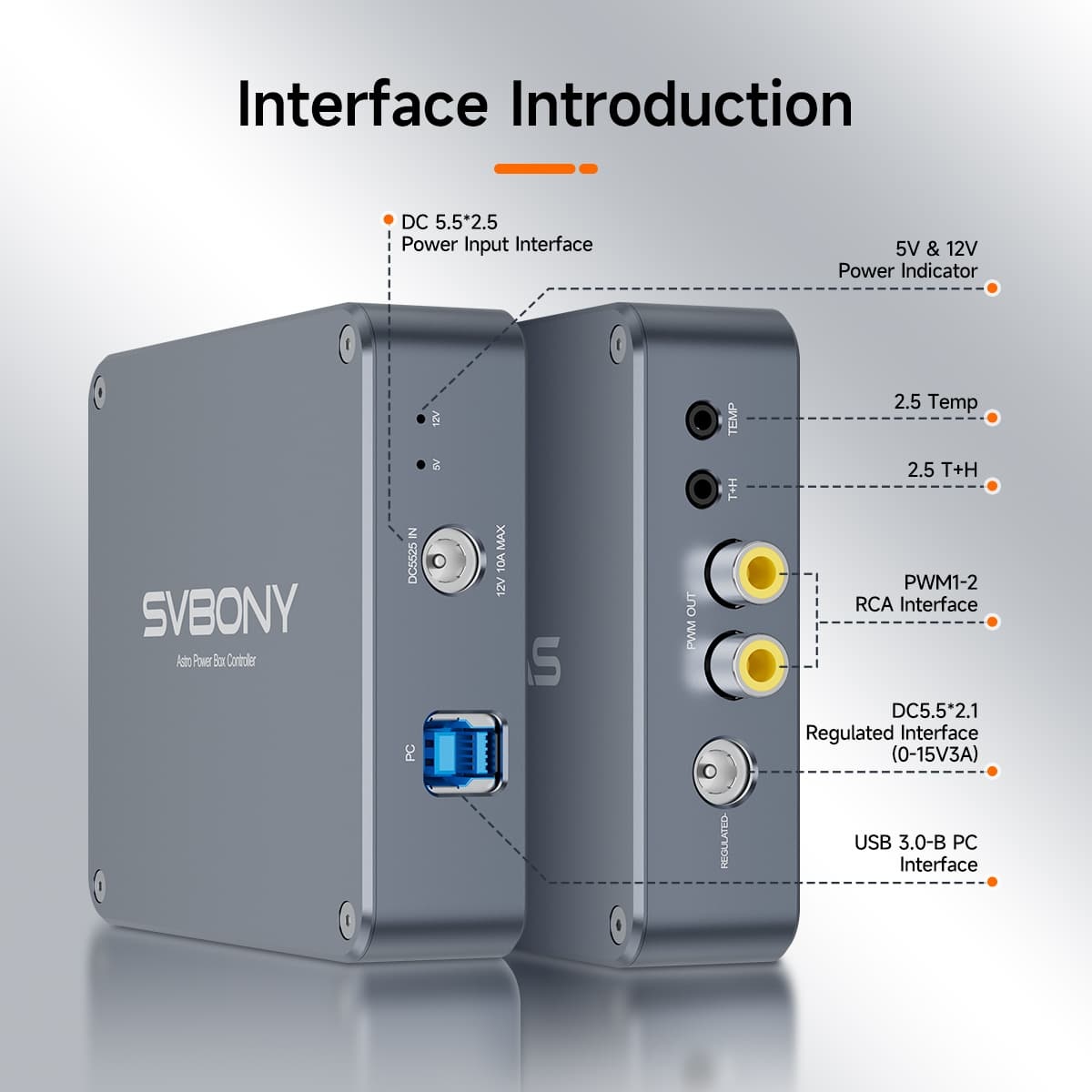
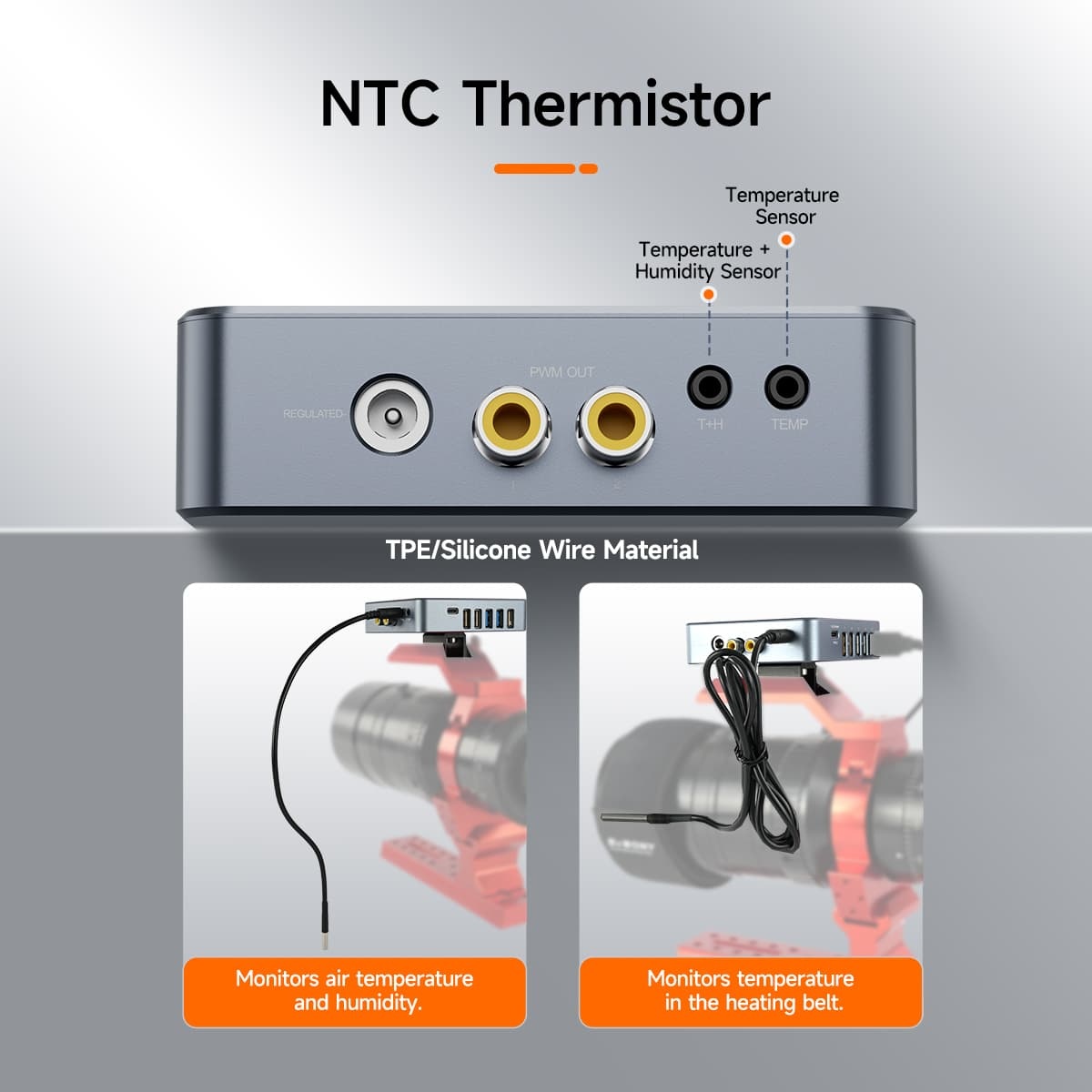
Equipped with a T+H interface that collects humidity data (5%-85% RH), calculates the dew point, and controls heating; the Temp interface monitors the temperature of heating tapes in real time (-10°C to 50°C) for precise temperature control and dew prevention 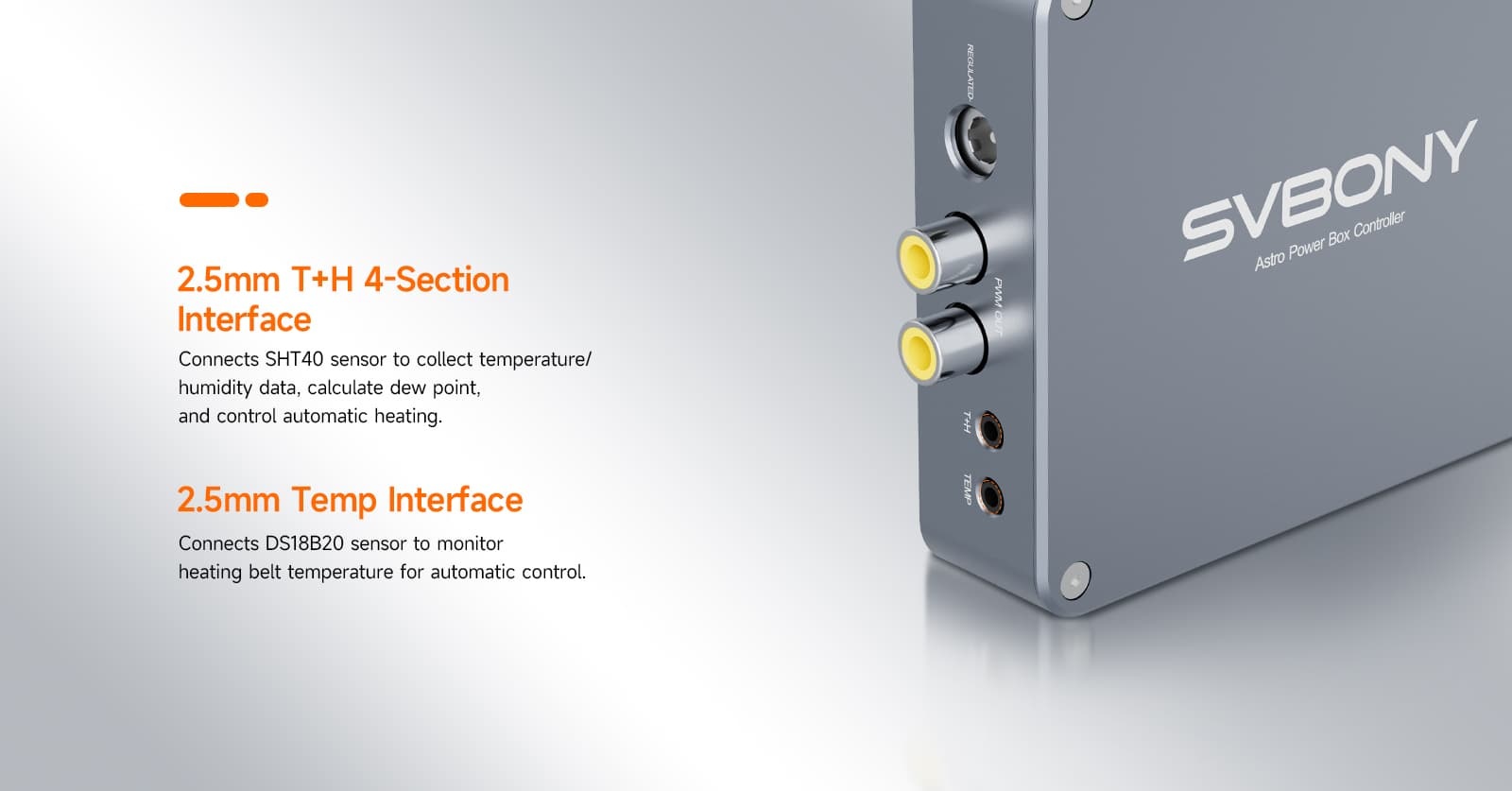
Utilizing PWM technology, it achieves precise, dynamic, and automated heating control.
1.Integrating environmental data (temperature, humidity, and dew point) collected by temperature and humidity sensors and automatically adjusting the heat intensity of your Dew strips for optimal performance.
2.The 12V, 6A power supply supports driving multiple dew heaters (simultaneously powering the dew heaters of the telescope and guide scope), meeting the de-condensation needs of a full range of astronomical equipment. 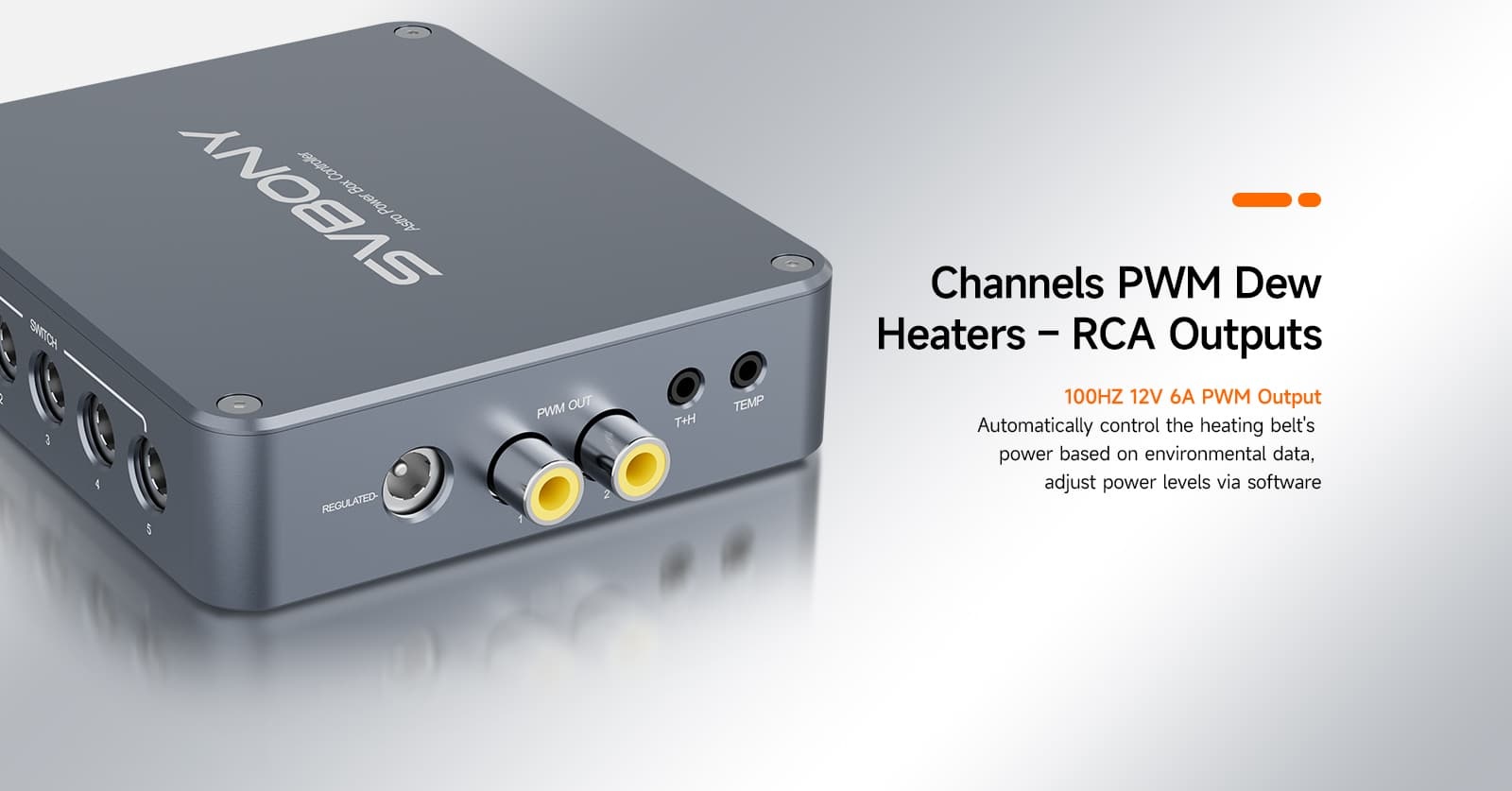
Built-in Circuit Protection
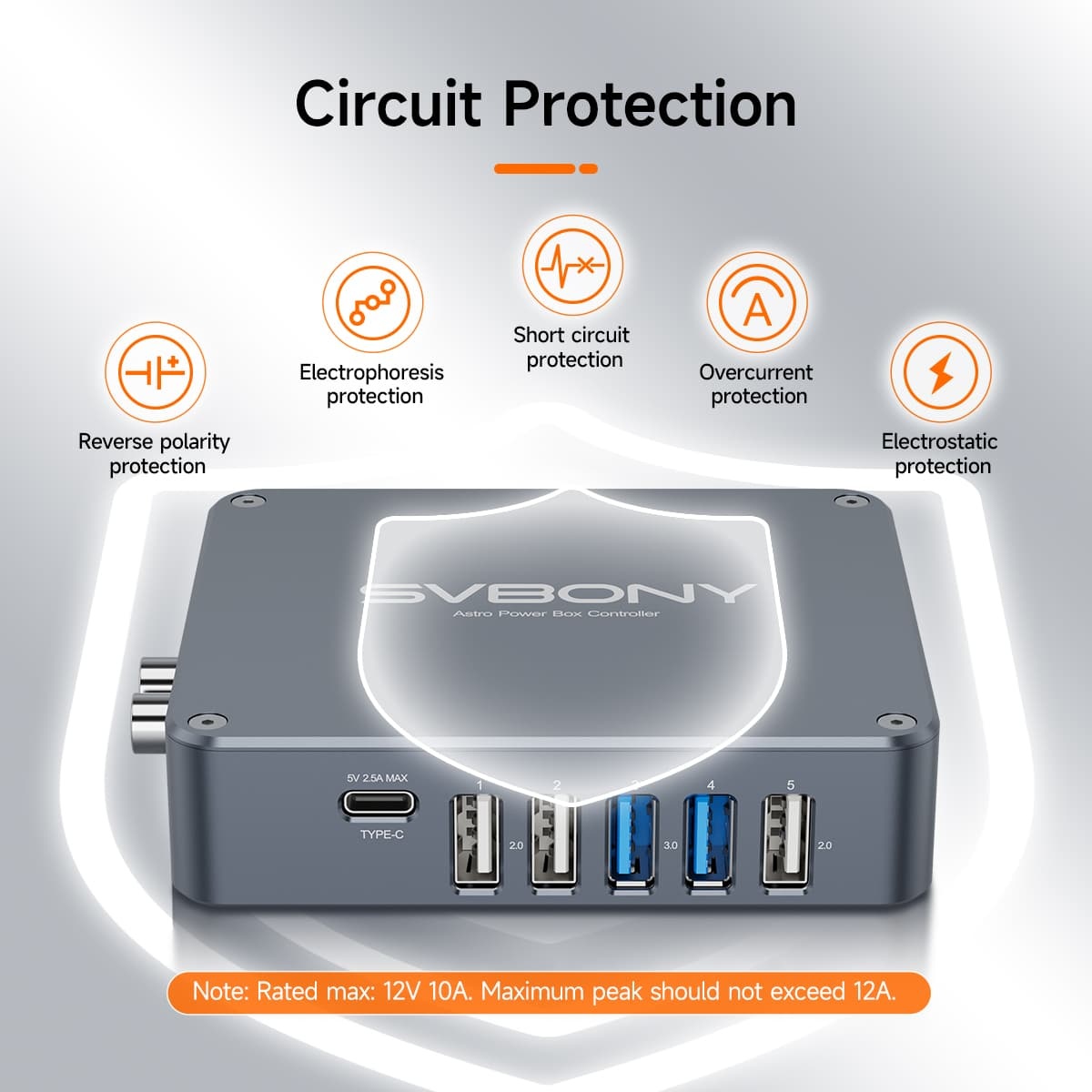
Safety is paramount with the power hub, boasting a suite of protections including reverse polarity, overcurrent, short circuits, electrostatic discharge. Your astronomy devices are shielded from potential damage.In addition, this power hub provides automatic restart after overload. 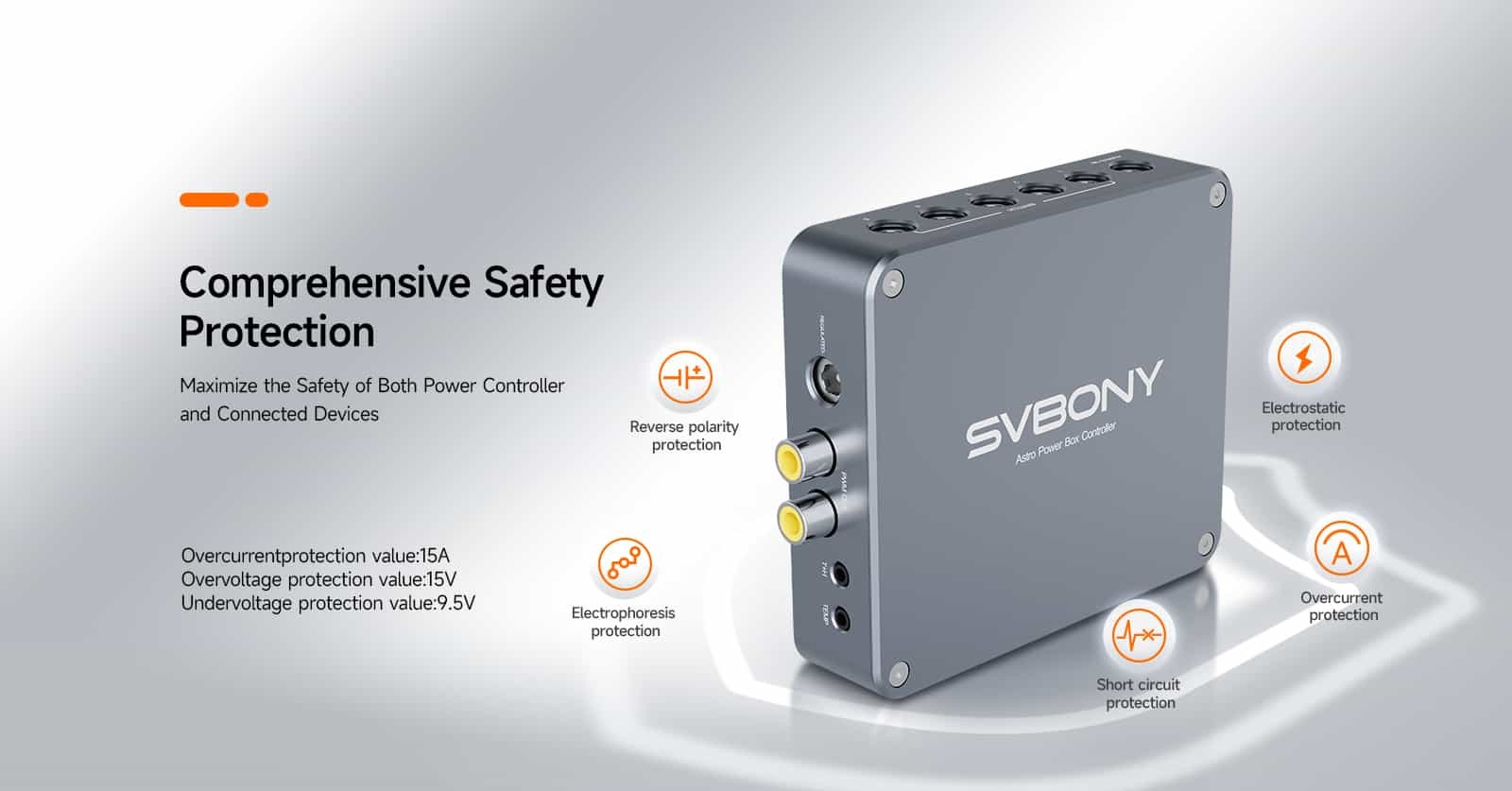
Intuitive LED
A built-in LED indicator lights up steadily when ready, providing quick confirmation of device connection status. 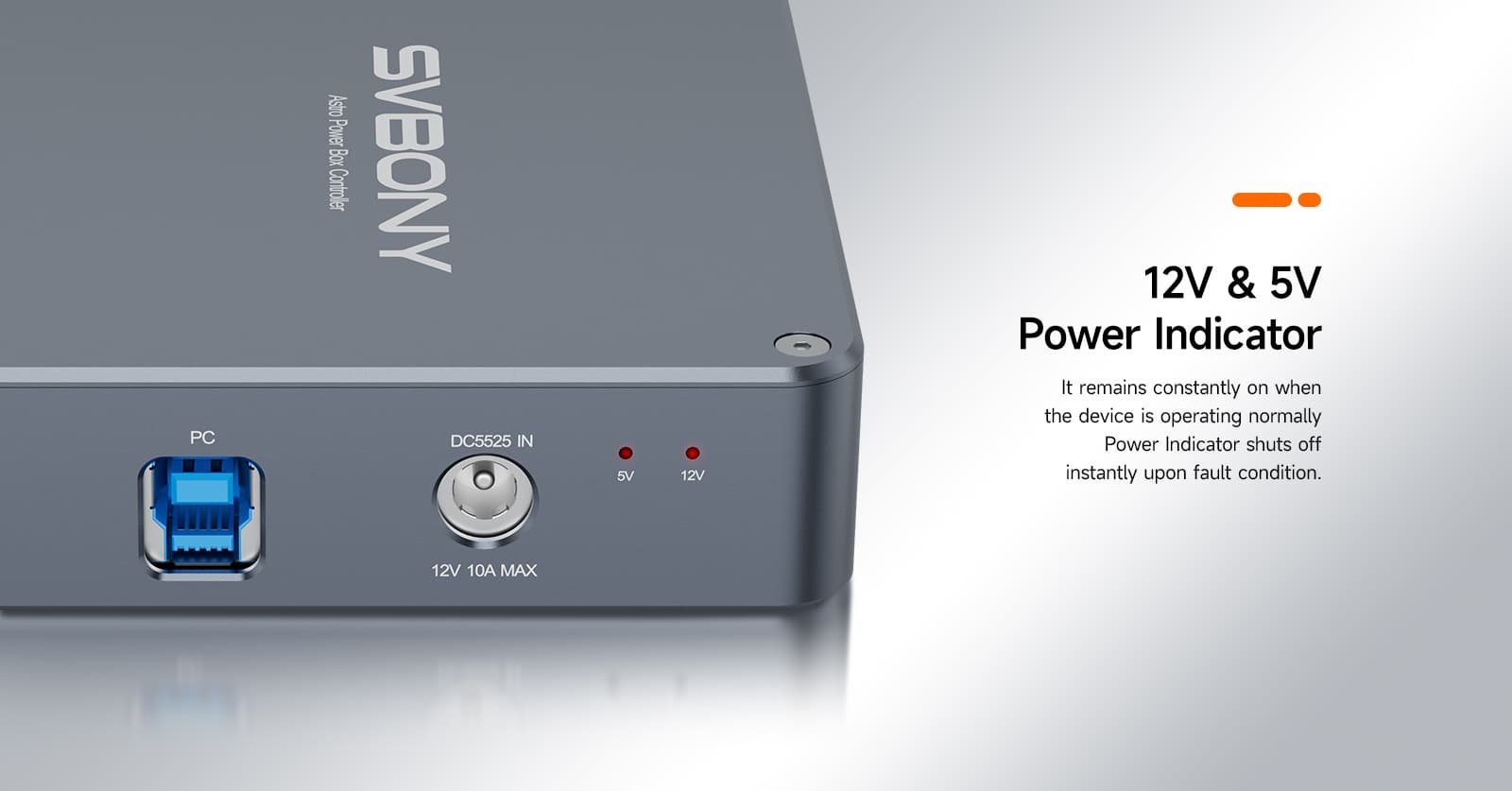
The power box is equipped with UNC1/4-20 and M4 screw holes to meet different installation requirements and prevent loose connections and power outages caused by moving, shaking, or dropping the power supply box during astrophotography. 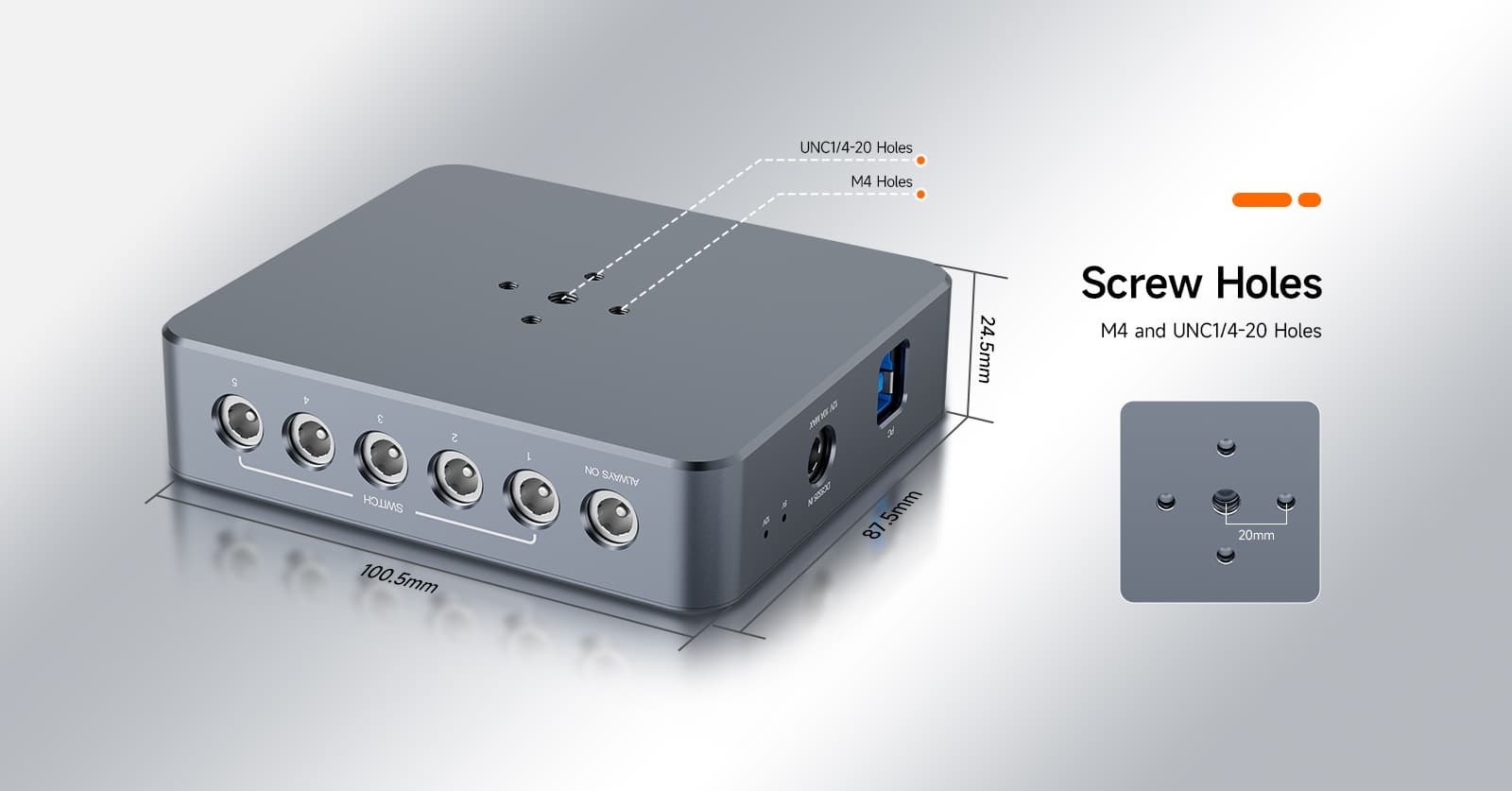
Effortlessly retain your custom settings after every power-off, making your long-term astronomical observations faster and more efficient.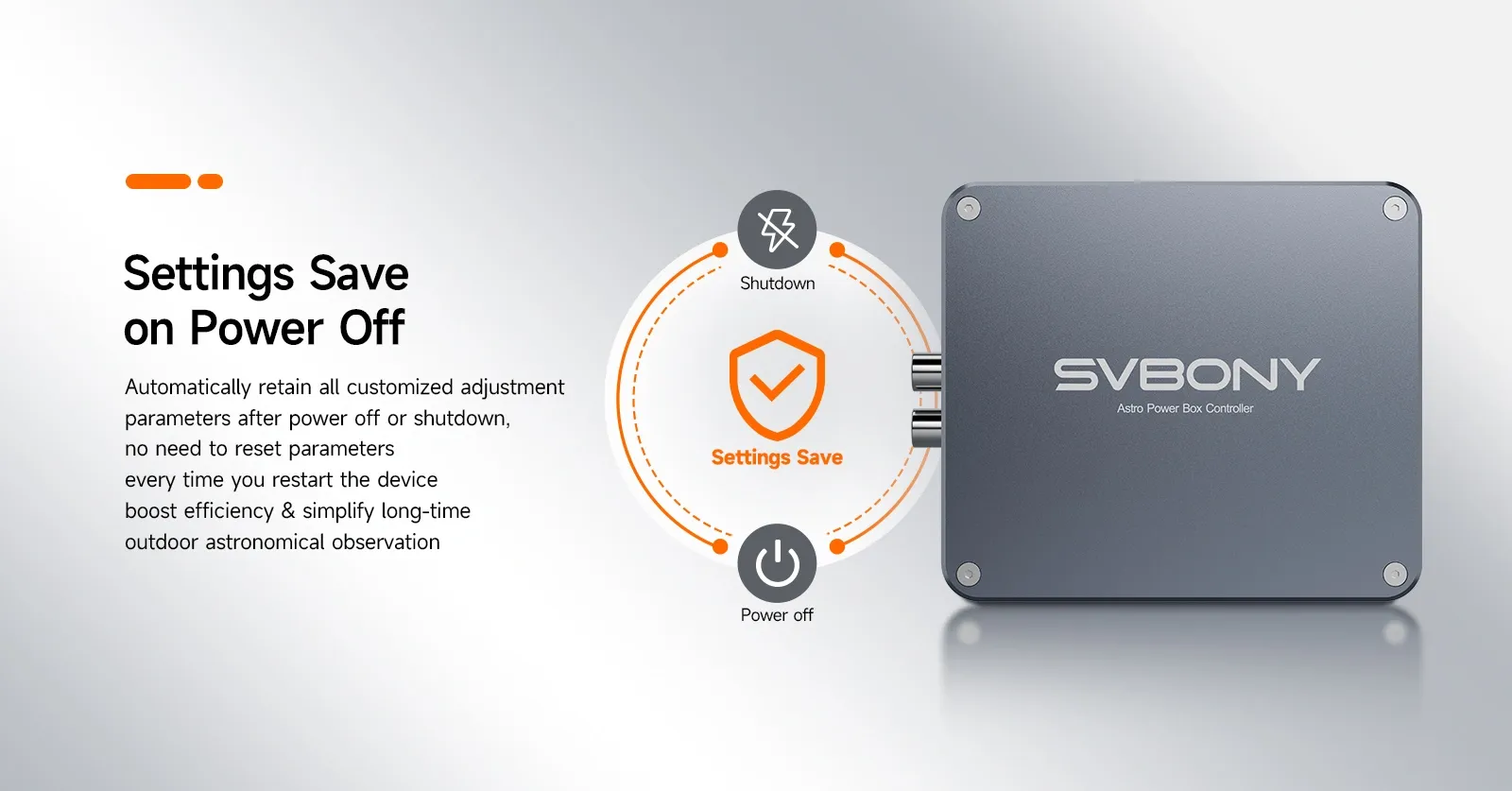
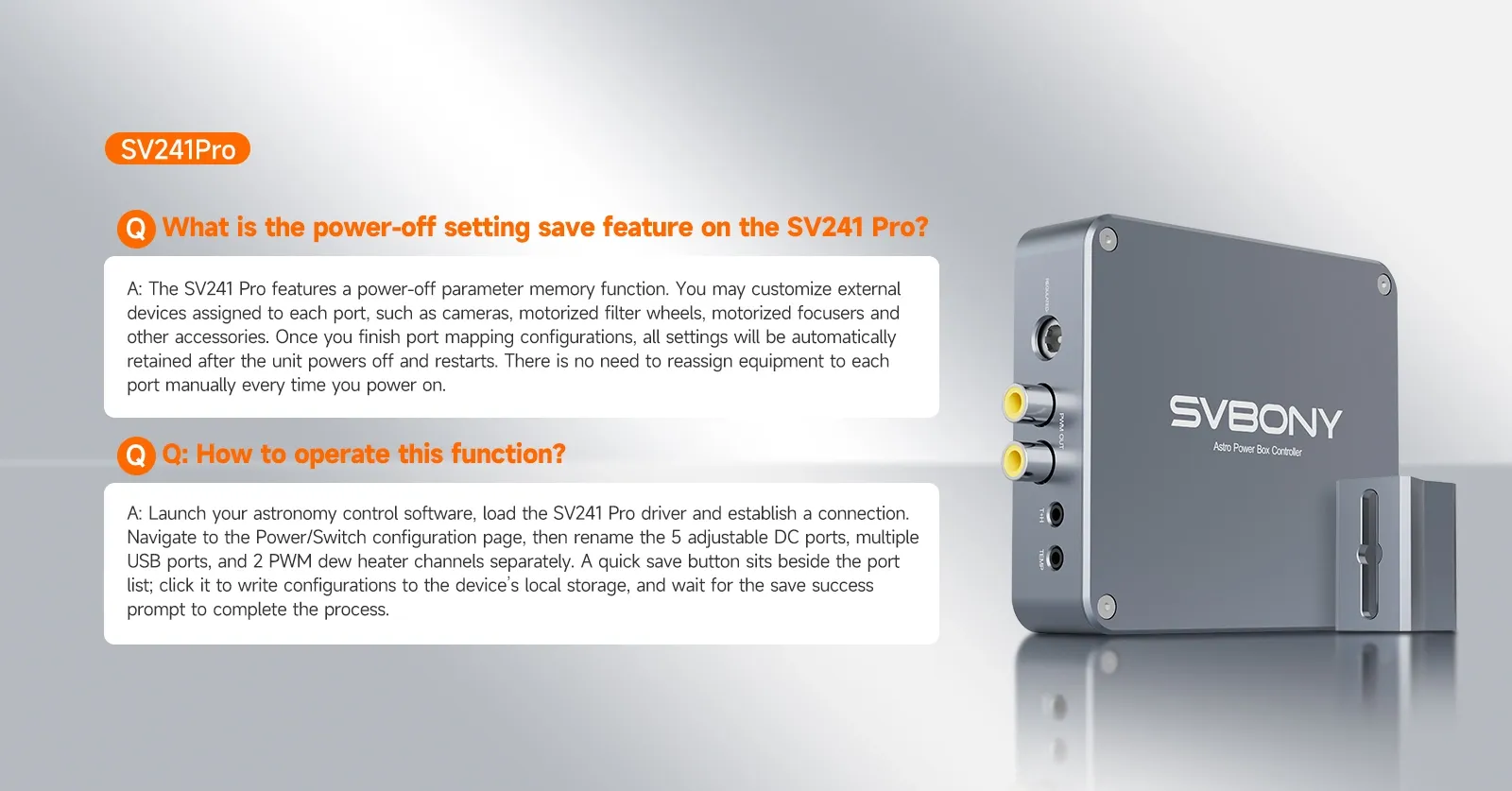
SV241 Pro Astro Power Controller
If you're tired of the complexities of multiple power packs and tangled cables, the SV241 Pro power controller is the solution you've been looking for. Our philosophy was to create a compact enclosure that delivers ample current and USB data while maintaining your cables organized!
Deliver power to your mount, cameras, filter wheel, and all your essential astronomy equipment, thanks to its versatile multiport design. With this astro power controller, you can fully control your astronomy eqipments.
This power box supports ASCOM drivers and seamlessly integrates with the astrophotography software NINA. Once connected, you can remotely monitor and centrally control all output ports and sensor data from the power box directly within the NINA software interface.
Each USB port outputs 5V 2.5A with 2.75A overcurrent protection; the 5V line has reverse current and short-circuit protection, independent MLCC filtering, and 15KV electrostatic discharge protection.
T+H & Temp Interfaces
Equipped with a T+H interface that collects humidity data (5%-85% RH), calculates the dew point, and controls heating; the Temp interface monitors the temperature of heating tapes in real time (-10°C to 50°C) for precise temperature control and dew prevention
Utilizing PWM technology, it achieves precise, dynamic, and automated heating control.
1.Integrating environmental data (temperature, humidity, and dew point) collected by temperature and humidity sensors and automatically adjusting the heat intensity of your Dew strips for optimal performance.
2.The 12V, 6A power supply supports driving multiple dew heaters (simultaneously powering the dew heaters of the telescope and guide scope), meeting the de-condensation needs of a full range of astronomical equipment.
Built-in Circuit Protection
Safety is paramount with the power hub, boasting a suite of protections including reverse polarity, overcurrent, short circuits, electrostatic discharge. Your astronomy devices are shielded from potential damage.In addition, this power hub provides automatic restart after overload.
Intuitive LED
A built-in LED indicator lights up steadily when ready, providing quick confirmation of device connection status.
The power box is equipped with UNC1/4-20 and M4 screw holes to meet different installation requirements and prevent loose connections and power outages caused by moving, shaking, or dropping the power supply box during astrophotography.
Effortlessly retain your custom settings after every power-off, making your long-term astronomical observations faster and more efficient.
Customer Reviews
All Reviews
Loading...
Related Products
Compare
 Google
 Amazon