


Table of Contents
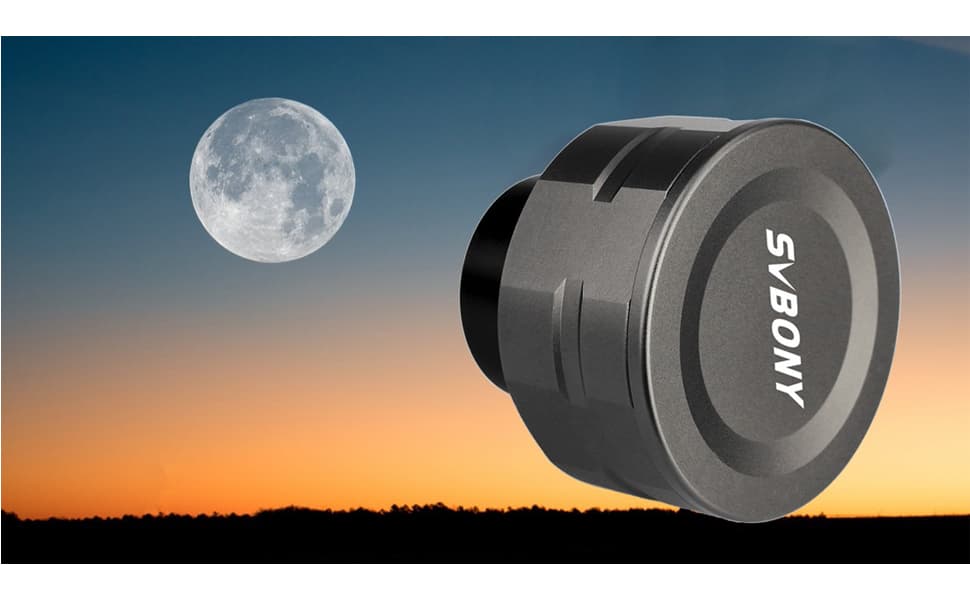
What Can We Do When SV105/205 Camera Fails to Work
Q1:Cannot get clear image with camera
A1:Since the chip only serves as a light sensor, all astronomical cameras in svbony need to be used with other equipment, such as telescopes or guide scope, to obtain a clear image after focusing. (the ability to focus depends on the equipment used.)
-
(1) Focal length too short: add Barlow Lens;
-
(2) Too long focal length: add an extension tube or a reducer;
-
(3) Adjust the gain or exposure value and pay attention to the distribution of the histogram.
Q2:connection questions
A2:
1.First, the simplest thing is to check whether the cover of the camera's photographic plate is open (it is best to test the camera's availability during the day)
2.Check whether the computer recognizes the astronomical cameras (right click my computer, click "management", click "device manager" to check whether the camera device is recognized). If it is not recognized, check:
- (1) Whether the cable is damaged (try to connect with another cable);
- (2) Whether the USB interface can be used normally;
- (3) If the above conditions are correct, the camera may be damaged.
3.If the computer can recognize the camera.
-
(1) Open the software camera but cannot recognize the camera. This may be because the software is incompatible with the system. You need to download compatible software (sv105/205 does not need a driver):
Windows system:Sharpcap Downloa AstroDMx Capture Download
Linux/Mac OS/Chrome OS/Raspberry Pi: AstroDMx Capture Download
-
(2) Or the computer's anti-virus software shields the astronomical cameras.
Q3:Whether the sv105/205 supports iPhone or iPad?
A3:IOS system and iPad are not supported.
Q4:When using sv105/205, what if the USB interface of the cable does not match the interface of the imaging device (mobile phone)?
A4:You can connect to your mobile phone by purchasing an appropriate OTG adapter cable.
Q5:Can the sv105/205 be connected to the guide scope?
A5:Yes, but sv105/205 is not suitable for capturing deep space images.
Q6: Is the camera color?
A6: At present, except that the SV305M Pro and SV605MC camera is monochrome, all other svbony astronomical cameras are color.
Q7: Does the camera have filter threads and dimensions?
A7: All our cameras are threaded and can be fitted with 1.25 inch filters.
Q8: Can the camera be used to observe various nebulae?
A8: First, there must be a suitable observation environment. Second, the telescope used can observe the nebula you want to observe.
When both of these can be met, the Svbony camera can observe the nebula (sv305 series and above cameras can be preferred for deep space observation.)
Q9: what if the frame rate is slow when the camera is connected to the computer?
A9: since the frame rate is low in YUY2 mode (original image mode), try to select MJPG format (compressed format) in the software.
Q10: What is the equivalent focal length of an eyepiece for the sv105/205 camera?
A10: All astronomical cameras are light-sensitive chips, which only play the role of imaging and shooting. They are not comparable with eyepieces.
Q11:Can I use Sv305 Pro on Chromebooks?
A11:Yes, download the AstroDMx software to use.Other Svbony Cameras above SV305 can also be used on Chromebooks through AstroDMx software.However, since the software does not support the UVC protocol, SV105/205 cannot be used.
Q12:Is ASCOM driver compatible with sv105 and sv205?
A12:Ascom driver for sv305 series cameras and higher.Sv105 and sv205 are compliant USB protocols.
Q13:Can sv105 and sv205 be compatible with C mount lens?
A13:incompatible,SV105 and SV205 camera without CS thread.
Q14:Is SV205 camera suitable for deep space photography?
A14:The SV205 camera has only one second exposure time, which is not suitable for deep space photography.
Q15:Is the sv105 / 205 / 305pro camera compatible with Mac OS?
A15:
Sv105 / 205 camera is not well compatible with Mac OS;
Sv305 Pro camera does not support Mac OS.
Q16:Whether SV105 and SV205 cameras are suitable for ASCOM drive?
A16:NO,ASCOM drive cannot debug SV105 and SV205 cameras.
Q17:Why does the white screen appear when using the SV305 series camera?
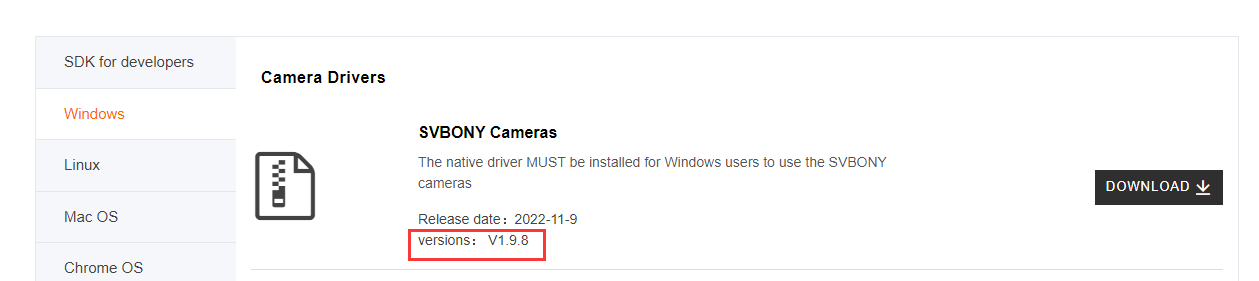
A17:If Sharpcap software is used, the main reason is that the(latest) camera driver is not downloaded.
Q18:What are the differences and functions between the two USB cables of the SV105 camera?
A18:
The primary USB connector provides enough power (up to 500mAh) for normal use when connected to a standard computer port. However, in areas with unstable voltage or when using older laptops with weaker USB power output, the secondary USB connector should also be connected. This dual-connection method doubles the available current, guaranteeing stable performance for the camera during observing sessions.
For most users with modern computers in regions with stable electricity, connecting only the main USB is sufficient. The secondary port is a safeguard for demanding situations. This design supports not only the 2MP SV105 but also higher-resolution 5MP cameras.
Q19:Brief summary of software and drivers to be downloaded when using SV105/205 camera.
A19:
If it is a Windows system, please download Sharpcap software directly. (If you download Sharpcat software, you do not need to download the camera driver separately. When connecting the SV105/205 series camera to Sharpcap, the camera does not need camera driver support.)
For Linux/Mac OS/Aspberry Pi systems, please download AstroDMx Capture directly.
Q20:How to run SV105 camera on Mac OS?
A20:At present, it is difficult for Mac OS to run normally with SV105.Please try downloading AstroDMx Capture.Or use the standard Photo Booth application.
Justin shared his method for us--''it is the standard Photo Booth application that comes installed on my Mac. I am running Monterey. I don't know when it was added since this is the first time I am using it but I did a google search and found someone that recommended it and that's how I discovered it. Did not have to download or install anything to have it work. ''
Welcome to comment. (New problems and solutions will be put here.)
Comments (4 )

Jaupery Moscoso
Hello, I would like to clarify a doubt, I bought the sv105 camera to put it on the svbony28 and use the smartphone, I downloaded the usb camera application, I put the powerback and the image does not appear. What could be happening? the screen goes dark.
Claudio Cavallaro
I'm very happy with my SV28 equipped with SV205 and running on WIN11 64bit OS and at the last i'm waiting for a SC001. Something to do about firmware for SC001 because i saw a update file in the support site for it ? Thanks
Colin Charles Higton
Hello! I received my SV105 on Saturday. I have installed the camera on my Toshiba Win10 laptop, which seemed to go ok. However, Sharpcap 4, keeps telling me the camera has disconnected. It took quite a few attempts to get it going. Is it possible that
Hello,please try downloading the latest version of Sharpcap and camera driver.Then please try to find OTG in the local phone store or some sales platforms.
 Google
 Amazon
Michael Edward Wood
I bought a Svbony sv305 camera. I installed the driver, installed SharpCap and took pictures of the moon and couple nights ago. Now, I only get a white screen or a black screen, if I cover the lens. It seems I can no longer focus the camera? Everythin
Guest
Dobrý deň, máte použiteľnú aplikáciu kamery SV205 na Android okrem aplikácie USB Camera ? Stiahol som aplikáciu Open Live Stacker od autora Artyom Beilis do tabletu a smartfonu ale nefunguje to, ukazuje miesto obrazu len zelenú plochu, neviem či je to s touto kamerou kompatibilné. Ďakujem za odpoveď